Bday templates

Fresh design tools

Built-in AI help

Customer happiness guarantee
Design birthday invitations that feel personal, modern, and full of character.
Uploading images is easier than ever
Add photos from your device in seconds. Adjust, crop, and position them perfectly to create birthday invitations that feel truly yours.
Whether it's a quick phone picture or a high-quality portrait, the tool handles everything smoothly. Drag elements into place and shape the exact look you want.
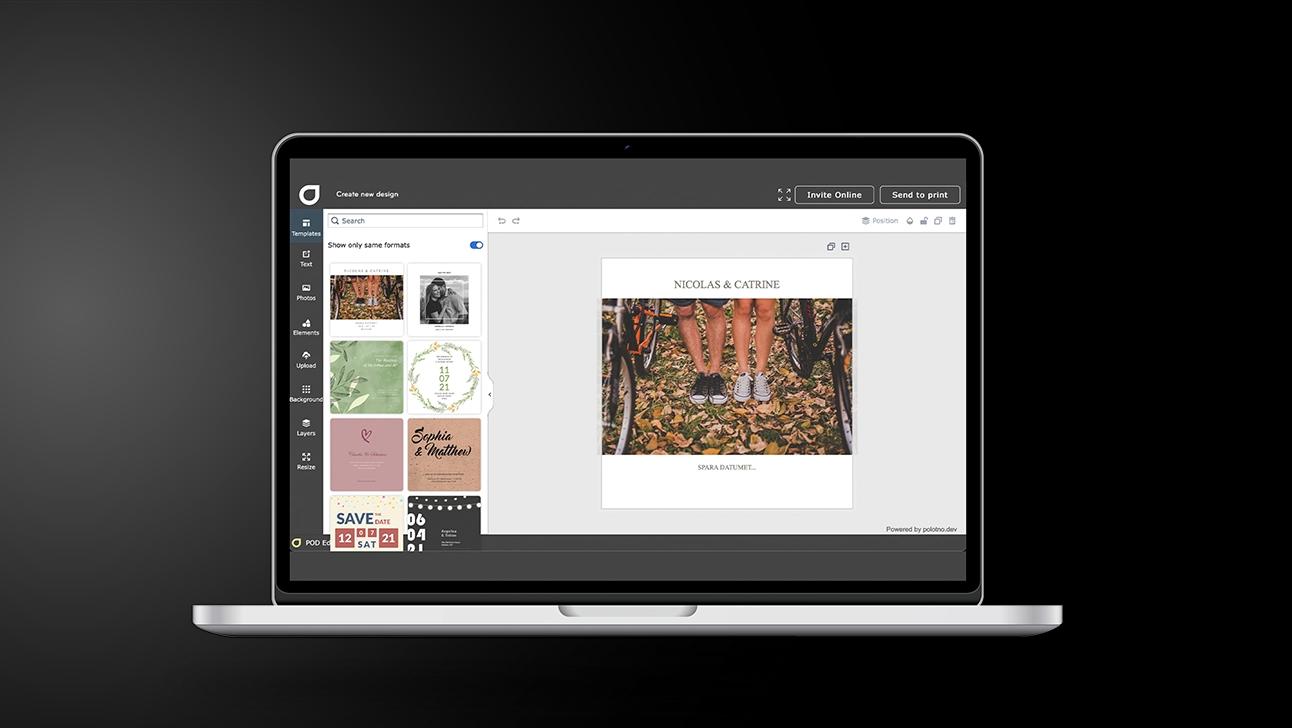
Make Birthday invitations guests can reply to — 5 steps
Start with a ready-made layout
Find a template quickly using search and filters for theme and style.
Fill in the party essentials
Add the who/when/where; tweak fonts and spacing until it reads clearly.
Add personal touches
Use free backgrounds, upload photos, and include a video link for extra excitement.
Set up RSVP + guest info
Enable an online page for replies, practical details, and any last-minute changes.
Share in one click
Send by email or socials, or export high-resolution files for printing.
Thousands of free backgrounds and photos available
Browse a huge collection of free backgrounds, textures, and photos. Whatever the theme, you’ll find something that fits effortlessly.
Mix and match colours, patterns, and visual elements until the design reflects the celebration perfectly. Inspiration comes naturally with so many options.
Most invitations are now sent online
Social media and email are the go-to methods. Email invitations include a full tracking page with RSVP status, guest list, and updates in real time.
You can now add video clips to your invite
A short clip instantly boosts attention and gives your birthday invitation a fun, dynamic twist.
Create and place a QR code in seconds
Add a QR code linking to accommodation options, directions, a website, or any additional information you want your guests to access easily.
Make every birthday unforgettable
Design, share & track invitations in one place.
FAQ
Generate unique visuals, transform photos, adjust styles or invent effects that push your birthday invitations far beyond the ordinary.
Yes — as long as you’re sending the invite digitally, you can add a clickable video link (e.g., from social platforms).
Both options are available: choose from our free library, or upload your own images and backgrounds.
Make a tour



Begin with a template